









Tutorial

Logging In


Logging in and using the system couldn't be any easier! Just follow these simple steps and be ready to get overwhelmed with new business!
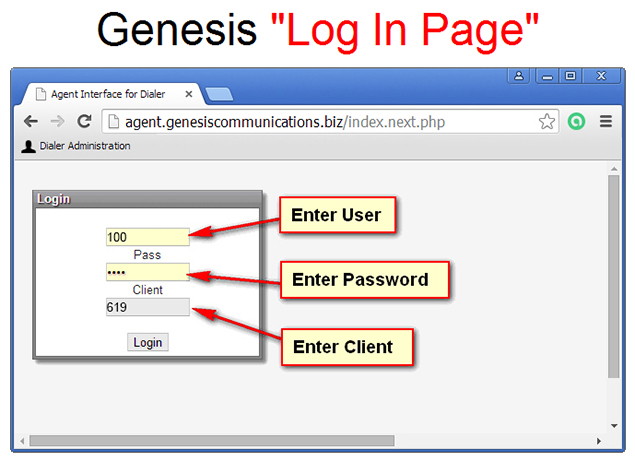
Step 1: When you are ready to take calls simply visit: agent.genesiscommunications.biz
Step 2: Enter your User ID, Password and Client ID
Step 3: Plug in your USB headset.
Step 4: Click "Web Phone" and listen for the prompt, “Agent Logged In”
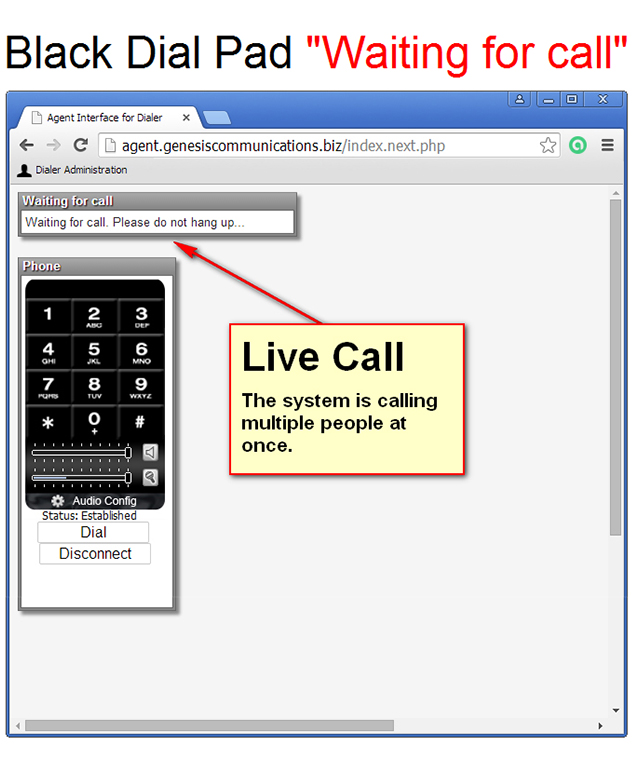
Step 5: You’re live, waiting for calls
Step 1: When you are ready to take calls simply visit: agent.genesiscommunications.biz
Step 2: Enter your User ID, Password and Client ID
Step 3: Plug in your USB headset.
Step 4: Click "Web Phone" and listen for the prompt, “Agent Logged In”
Step 5: You’re live, waiting for calls

Taking a Phone Call
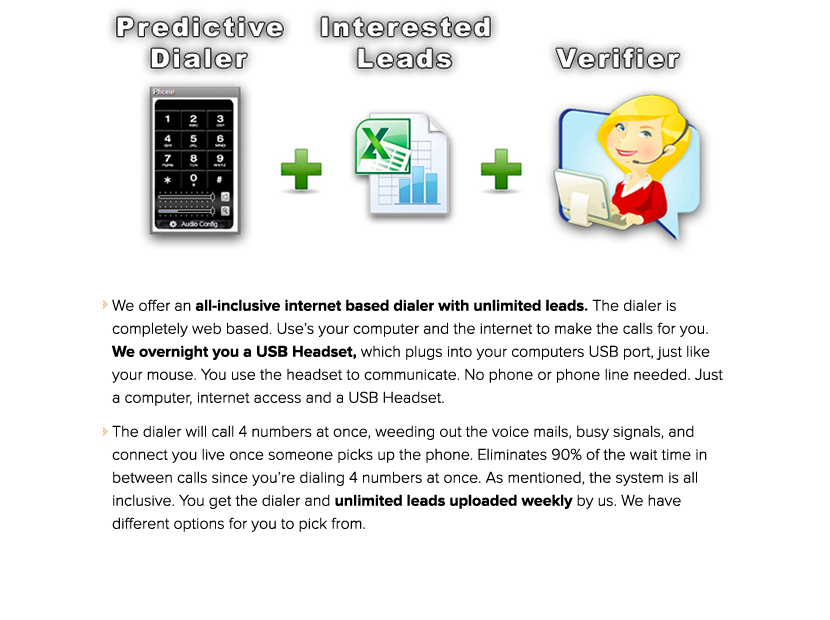
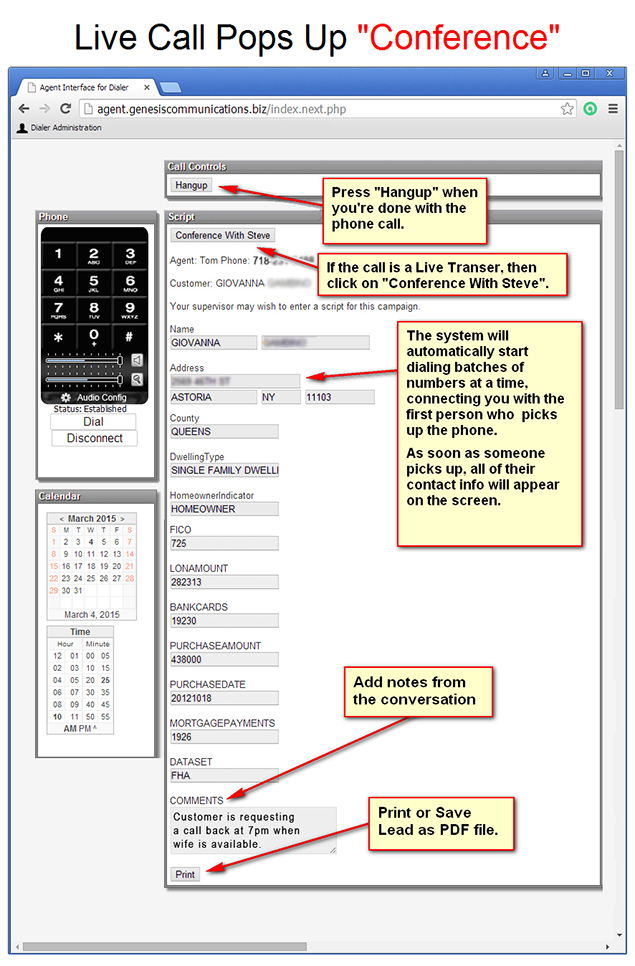
When you are ready to receive calls, our system begins calling 4 numbers simultaneously, connecting you live with the first potential borrower who answers the phone. Once connected you will hear the potential borrower saying hello. At the same time you will see the borrower’s information appear on your computer screen. When you take a call, the system will stop dialing new numbers until you have disposition your current call.
Disposition of Your Calls
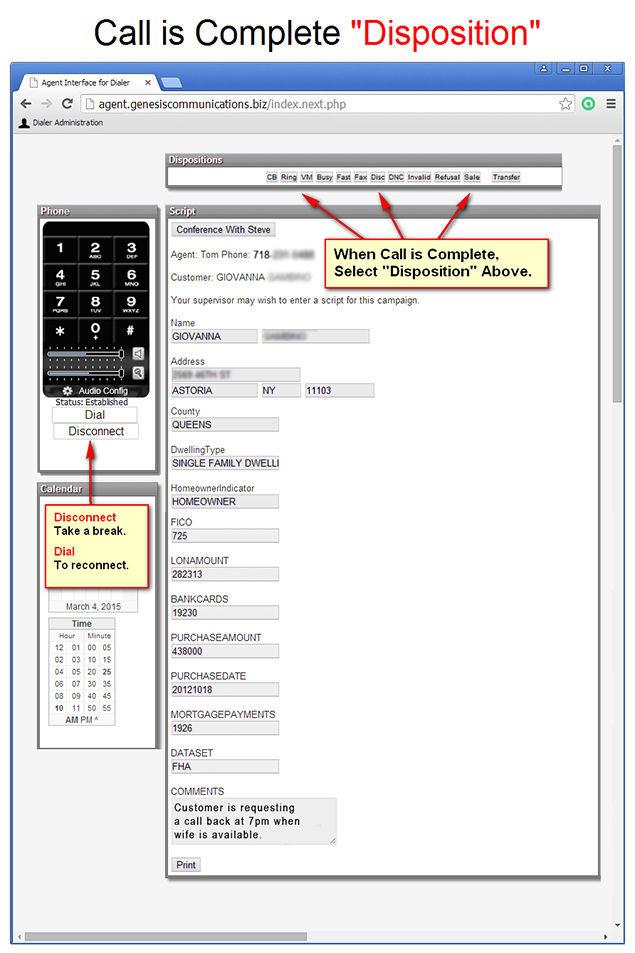
After completing a call use the Hang Up button. When you hang up a set of disposition buttons appears; you must choose a disposition before the system will resume calling. You can also enter any notes have concerning the call and carefully monitor your callback schedule. Here are the four dispositions you can use:
CB: Call back again at some random day and time; this disposition is typically used when little or no progress was made on the call
Refusal: Not interested; record is removed and will not be dialed again
Sale: Application taken; record is removed and will not be called again
Transfer: Interest generated, going to follow up outside of the system at the prescribed time. Record is removed from the system.
CB: Call back again at some random day and time; this disposition is typically used when little or no progress was made on the call
Refusal: Not interested; record is removed and will not be dialed again
Sale: Application taken; record is removed and will not be called again
Transfer: Interest generated, going to follow up outside of the system at the prescribed time. Record is removed from the system.
Screenshots of our Dialer






18653 Ventura Blvd. STE 900
Tarzana, CA 91356
Main: (888) 734-3448


